AMQP 1.0 Sender
Description
This channel is used to transfer messages using the AMQP 1.0 protocol.
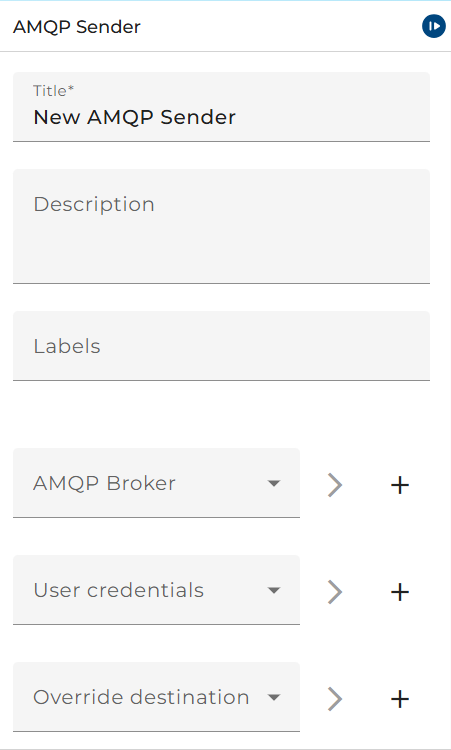 |
|---|
| Base view of the AMQP v1.0 Sender |
Creation
To create an AMQP 1.0 sender, follow the steps described in the general documentation for Adapters.
Configuration
First choose the AMQP Broker you are going to use. Either select an existing environment entry or create a new one if needed.
The User Credentials are necessary to log into the broker. Please select the correct credential or create a new credential.
The AMQP Destination lets you choose to where the AMQP Messages will be delivered to. This field can either be left blank or a new AMPQ Destination can be created and used here.
Delivery Options
- Priority: Choose the delivery priority of the message you would like to send (range 0-10)
- Time-to-live: Choose how long your message will be retained once delivery is complete (e.g. 100ms, 1h 30m, 5s)
- Delivery Mode: Chooser if message delivery will be volatile or persisted in case of message recovery
- Type of message: Either choose if your message will be delivered as a Byte-Message or a Plain-Text Message
Serializer
Please refer here to the Serializer Section.